AI Book Writer: What Authors Need Beyond One-Click Tools
Looking for an ai book writer? Learn the beginner workflow that beats one-click generators, with continuity, revision control, and KDP-ready export.
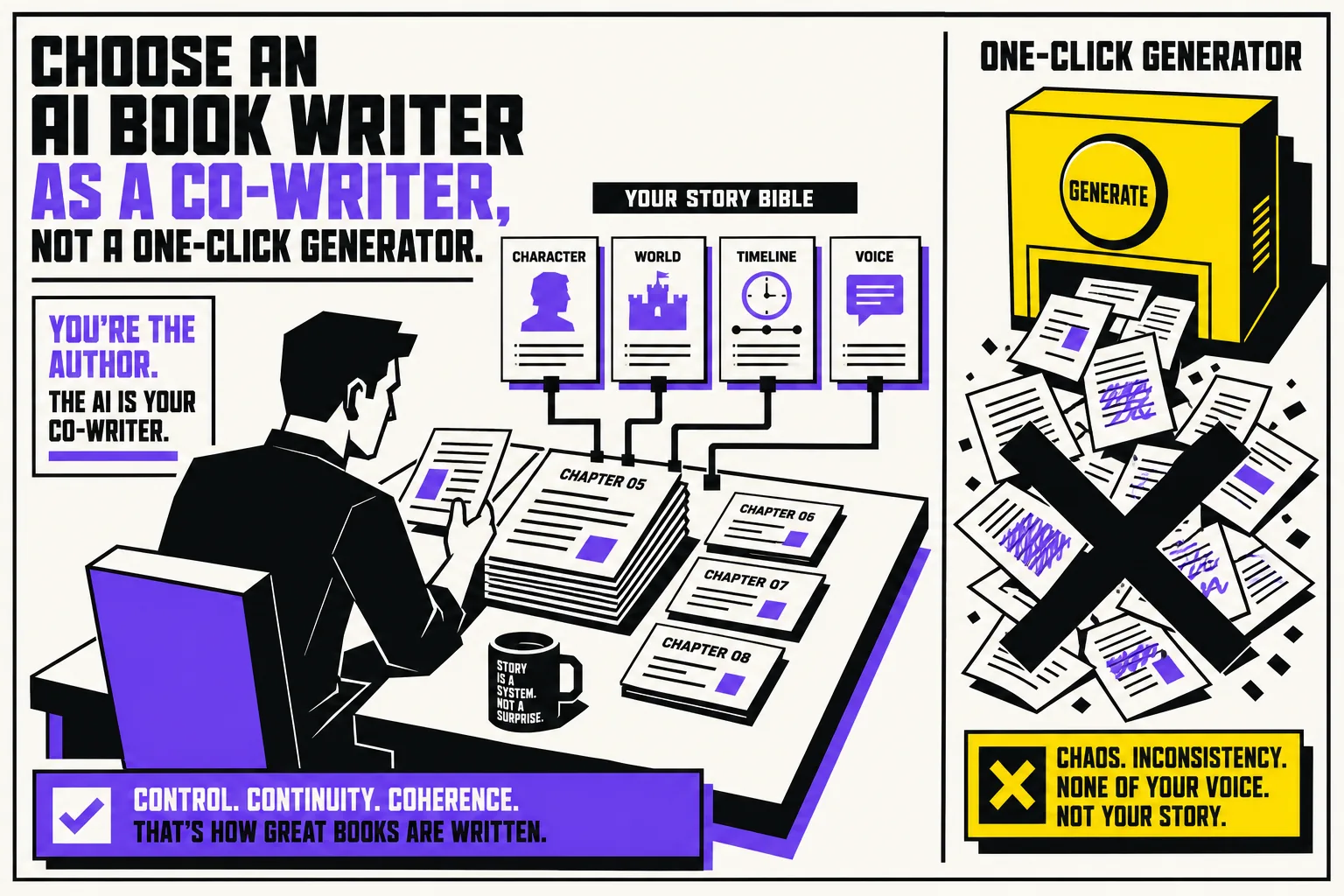
Type ai book writer into Google and you will see the same promise again and again: click a button, get a book. That promise is exactly how beginners end up with a bland draft, broken continuity, and a manuscript they do not feel confident publishing.
A useful ai book writer is not a vending machine. It is a co-writing workflow that helps you plan, draft, track details, revise, and export without taking the steering wheel out of your hands. If you are really searching for ai help me write a book, that distinction matters more than any model name or pricing page.
Why one-click AI book writer tools disappoint beginners
The problem with a one-click ai book generator is simple: books are not one decision. They are hundreds of small decisions that have to stay consistent over time.
Your protagonist cannot hate crowds in chapter 2, love packed clubs in chapter 14, and then panic at a village fair in chapter 21 unless the story explains why. Your fantasy world cannot ban magic in one chapter and casually allow it in the next. Your tone cannot swing from intimate first-person confession to generic motivational copy just because the prompt changed.
This is where generic chatbots and one-shot generators usually fall down. Even mainstream reviews of fiction-focused AI tools now make the same point: general chat interfaces can help you start, but long-form writing breaks when the system cannot reliably track story memory across a manuscript (Tom's Guide).
So if a tool markets itself as an ai book writer, do not ask, "Can it produce 2,000 words in one click?" Ask better questions:
- Can it remember my characters, world, and style across the whole book?
- Can I see and control what it changes?
- Can I revise scene by scene instead of accepting a giant blob of text?
- Can I export clean files when I am done?
That is the difference between a novelty and a writing system.
What to look for before you pay for an ai book writer
If you are a beginner, here is what actually matters.
1. Persistent memory, not just a bigger prompt box
A real book workflow needs a place to store your story's facts: character traits, timeline, setting rules, relationship changes, unresolved threads, and style notes.
Without that, every chapter becomes a fresh negotiation with the AI. You waste energy re-explaining the same details, and the draft starts contradicting itself.
2. Scene-level drafting
Beginners often think they need the AI to write a whole chapter at once. Usually, that is the wrong move.
What you need is help with the next scene: what the character wants, what blocks them, what changes by the end, and what emotional note carries into the next beat. A strong book writing with ai workflow helps you build momentum one scene at a time.
3. Visible author control
This part is non-negotiable.
An author-first tool should suggest. You should decide. That means clear actions like accept, reject, and regenerate. It also means you should be able to compare versions instead of blindly trusting whatever the model spits out.
If the software makes big changes without showing its work, it is not helping you write. It is asking you to surrender authorship.
4. Voice protection
Most beginners are less worried about spelling than about sounding fake.
That fear is justified. Raw AI output tends to flatten voice. It explains too much, repeats itself, and defaults to polished but lifeless phrasing. The better approach is to use AI for structure, options, and revision help, then anchor the prose in your own style. Tools that let you upload writing samples or style references have a real advantage here.
5. Clean export, because finishing is not the last step
A manuscript trapped inside a tool is not finished.
If you plan to self-publish, share with an editor, or prep for Kindle, you need clean export options like DOCX, EPUB, or PDF. You will also still need to care about formatting and publishing basics, which we cover in our guides to publishing on Kindle formatting and the KDP publishing checklist.
Book writing with AI, a beginner workflow that actually works
Here is the workflow we recommend instead of chasing a one-click draft.
Step 1. Start with a one-paragraph book brief
Before you generate anything, write a short brief with:
- the core premise
- the main character
- the central conflict
- the intended reader experience
- the ending you are aiming toward
If you cannot explain the book in one paragraph, the AI will not magically clarify it for you.
Step 2. Build a lean Story Bible
Do not overcomplicate this. A beginner Story Bible can fit on one page.
Include:
- major characters and what they want
- important settings
- world rules or factual constraints
- timeline notes
- style notes, such as "short chapters," "close third person," or "no sarcastic narration"
This is the memory layer your ai book writer should keep in view while you draft.
Step 3. Draft scenes, not the entire novel
A much better prompt is: "Write three ways this confrontation could escalate while keeping Maya defensive, not cruel," instead of "Write chapter seven."
That gives you choices. Choices create control. Control creates better books.
Step 4. Update continuity after every chapter
After each chapter, log what changed.
- What did the character learn?
- What relationships shifted?
- What promises were set up?
- What details must remain true later?
This is the habit that prevents the classic AI problem where chapter 18 forgets what chapter 4 established.
Step 5. Revise in two passes
A smart beginner workflow separates drafting from polishing.
First pass, fix structure: pacing, repetition, scene order, missing motivation, weak endings.
Second pass, fix prose: rhythm, specificity, dialogue, and voice.
This two-step process is one of the simplest ways to strip out the generic AI sound that makes a draft feel synthetic.
Step 6. Export, format, and publish like a human wrote it
Because a human did. You did.
The AI may have helped you brainstorm, outline, or rewrite a scene, but the finished book still needs your judgment. That means proofreading, formatting, and checking the reading experience before it ever reaches a reader.
Can an AI book generator write a publishable book?
It can help produce a draft. That is not the same as producing a publishable book.
If Amazon KDP is your goal, the current rules matter. Amazon requires publishers to disclose AI-generated content when uploading or republishing a book through KDP, but says you do not need to disclose AI-assisted content such as brainstorming, editing, or refining work you created yourself. Amazon also makes clear that you are responsible for making sure the content follows its guidelines and intellectual property rules (Amazon KDP Content Guidelines).
There is also a copyright issue beginners should understand early. The U.S. Copyright Office has ongoing guidance on works containing AI-generated material (U.S. Copyright Office AI guidance), and the Authors Guild's practical guidance states that AI-generated text is not copyrightable as original human authorship (Authors Guild AI best practices for authors).
The safe takeaway is not "never use AI." It is this: use AI as an assistant, not as a substitute for your creative decisions.
Where BookWitch fits
BookWitch is built around that exact idea.
It is not a one-click novel machine. It is an author-first editor for people who want AI help without giving up control.
Here is what that means in practice:
- Persistent Story Bible memory so your characters, world, and style stay coherent from chapter 1 to chapter 50.
- Progress-aware context so the AI sees where relationships, places, and character arcs stand at that point in the story, not as a frozen snapshot.
- Auto-linked Bible and continuity checks to catch the kind of mistakes beginners often miss on long projects.
- Accept, reject, and regenerate controls so suggestions stay transparent.
- Voice matching from your own prose, so the draft sounds more like you and less like default AI.
- Draft to Polish workflow so you can generate, revise, and clean up the text in separate passes.
- EPUB, DOCX, and PDF export, plus multilingual writing support, when you are ready to move beyond the drafting stage.
If you are comparing fiction-first writing tools, our roundup of Sudowrite alternatives may also help.
The right question to ask
The question is not, "What is the best ai book writer?"
The better question is, "What kind of AI help will actually let me finish a coherent book that still feels like mine?"
For most beginners, the answer is not a one-click generator. It is a workflow with memory, continuity, revision, and visible control.
That is the standard to use when you evaluate any ai book writer. If the tool cannot help you remember more, decide better, and revise with confidence, it is not saving you time. It is just moving the mess to a later stage.
And if you want an editor built for exactly that kind of co-writing process, BookWitch is worth a look.